Create user / accept invitation netfiles Data Vault
netfiles Data Vault is a data room with end-to-end encryption (E2EE). In addition to their personal access data (user name or e-mail address and password), every user needs a personal data key to log in to netfiles Data Vault and a recovery code to replace a forgotten or lost personal data key.
When the responsible administrator enters a new netfiles data vault for the first time, they must complete the E2EE setup by defining a data key and saving its recovery code.
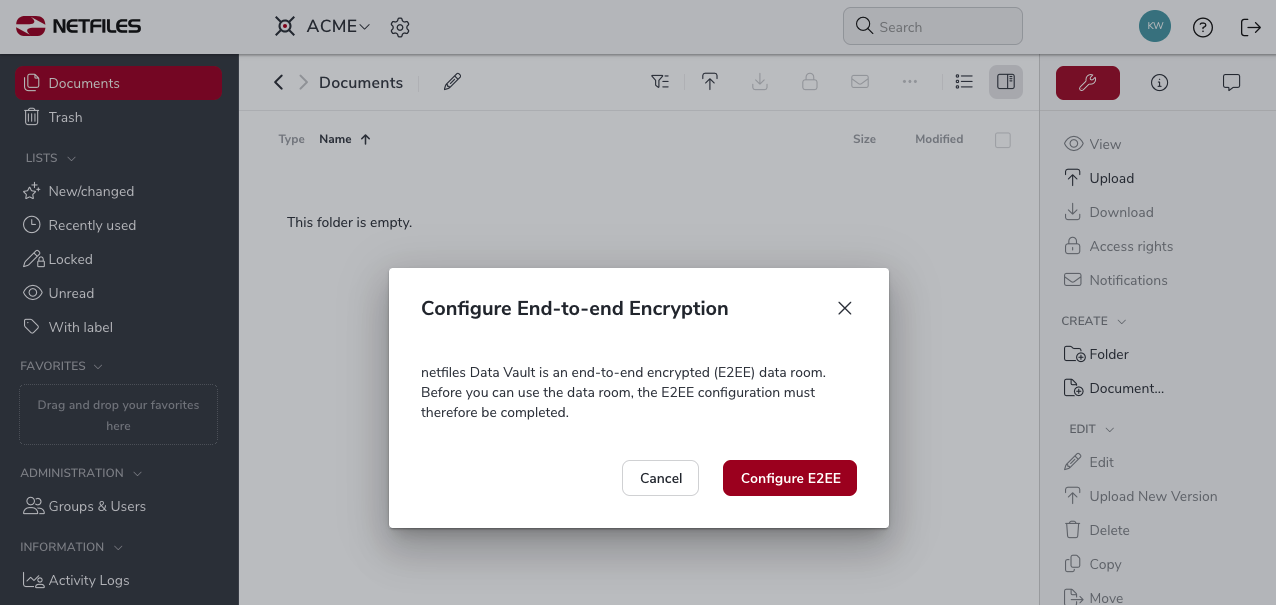
The administrator can then set up the data room as usual.
Create user (administrator)
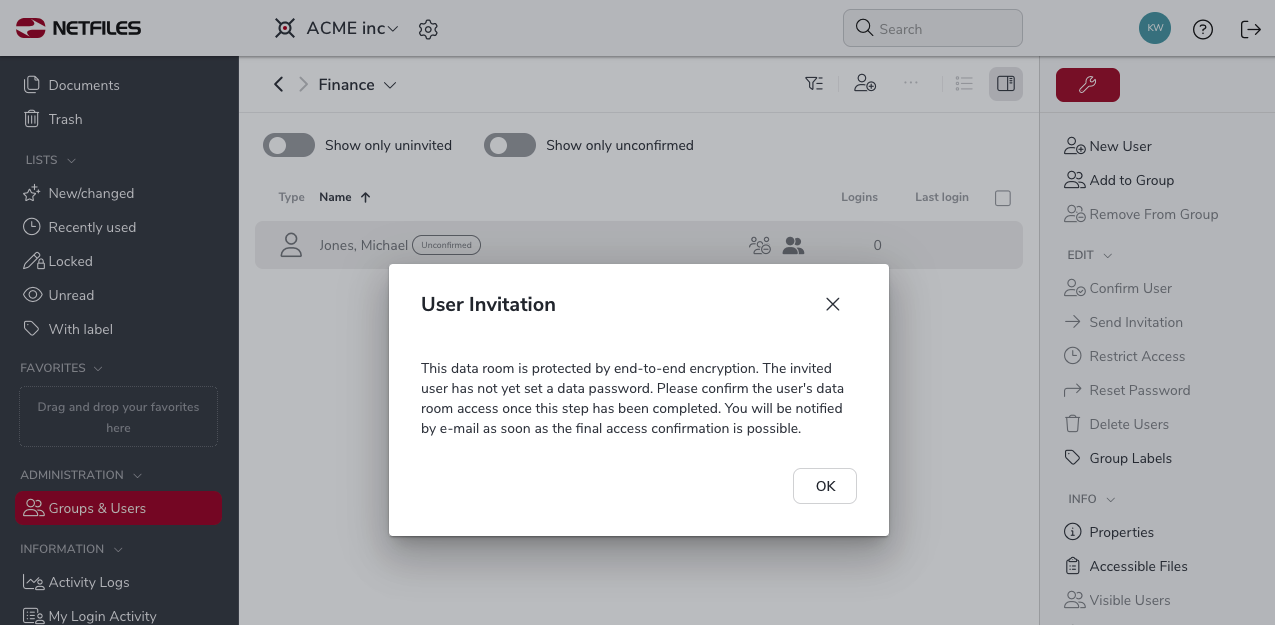
Go to “Groups & Users” on the left and create a new group”. In the group, select “New User” and enter the name and email address of the new user. Then select “Create user”. The following message informs you about the next steps in the user onboarding process.
Activate account (user)
The user receives an invitation link to activate their account.
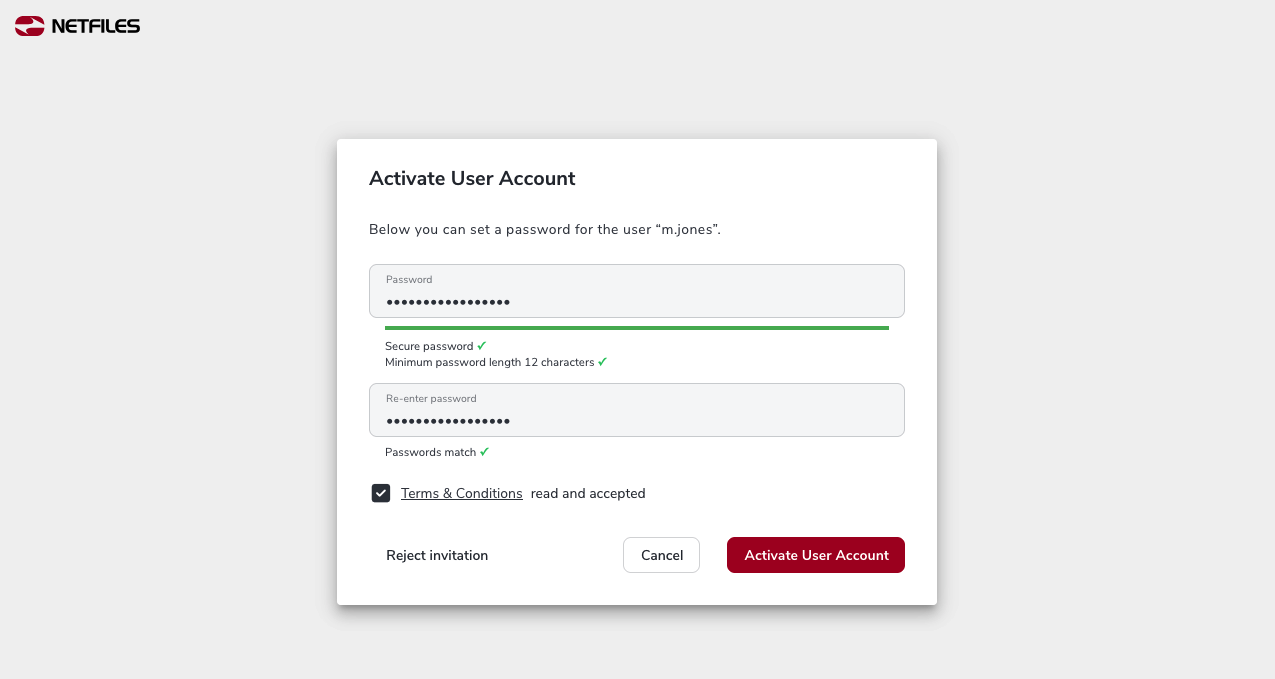
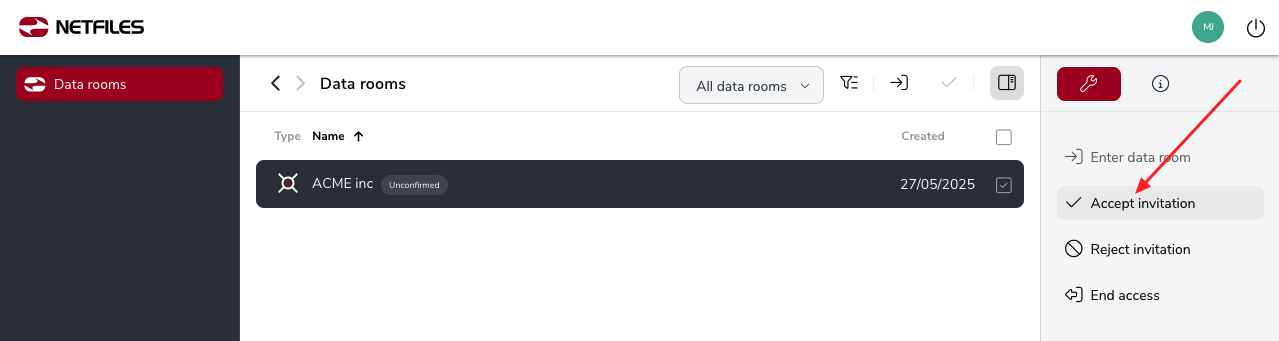
After assigning the personal password, the user accesses the overview of their netfiles data rooms. Here they select the new vault and click on “Accept invitation” on the right.
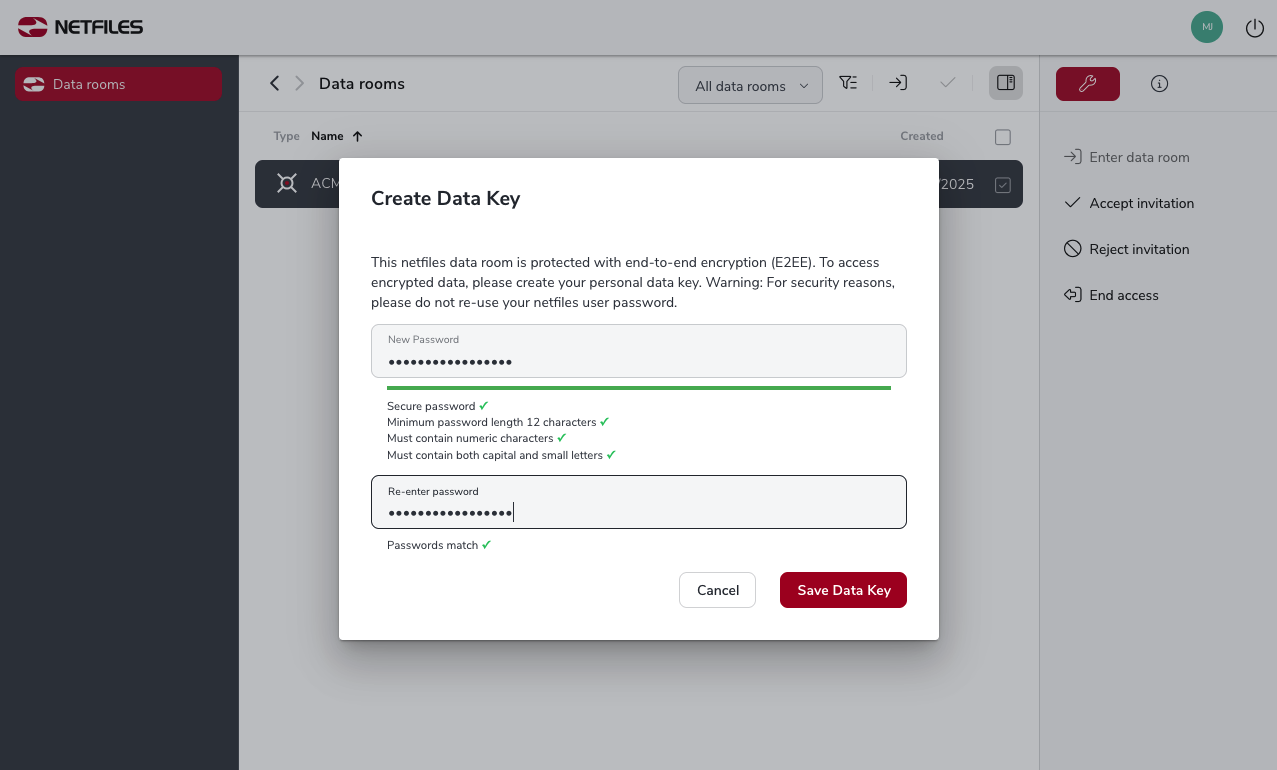
In the following dialog, they assign their personal data key.
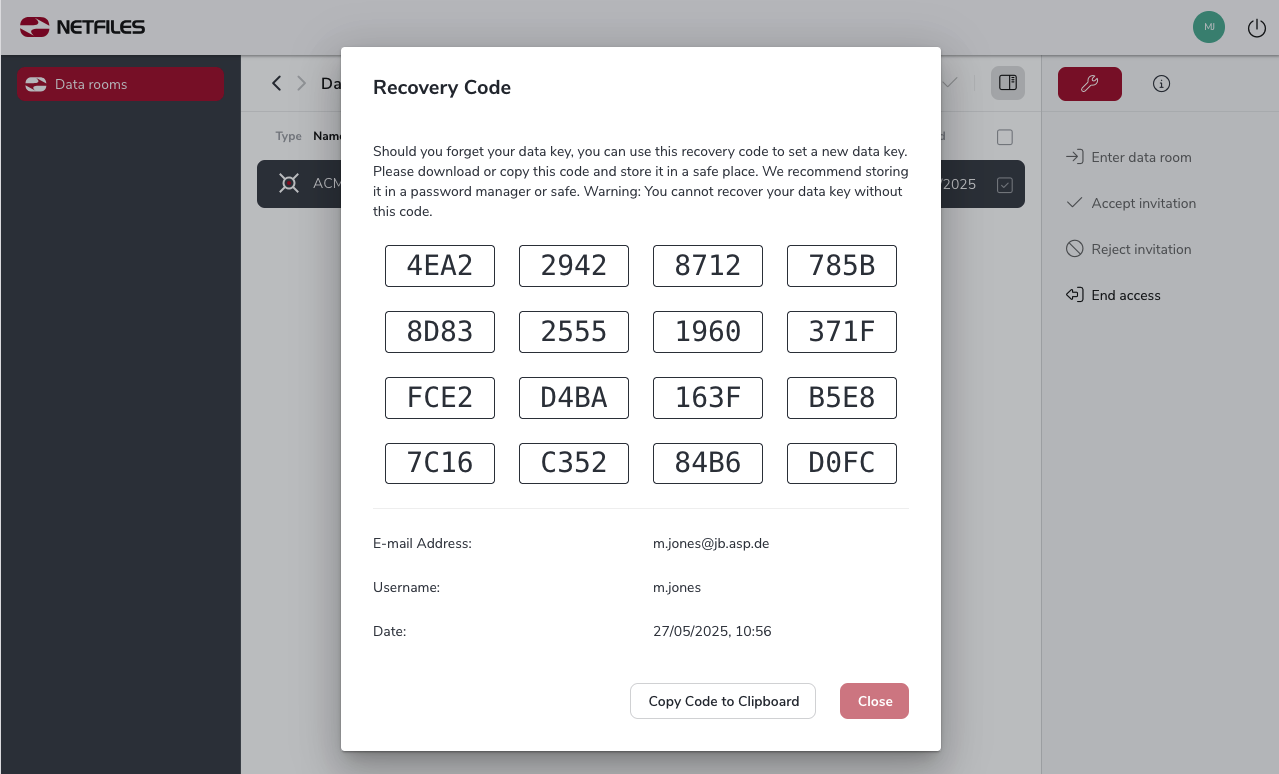
The new user will then receive their recovery code, which must be copied to the clipboard and stored in a safe place. The recovery code is required to create a new data key should the current one be lost or forgotten. Without the recovery code, the user can’t set a new data key and will no longer be able to use the vault.
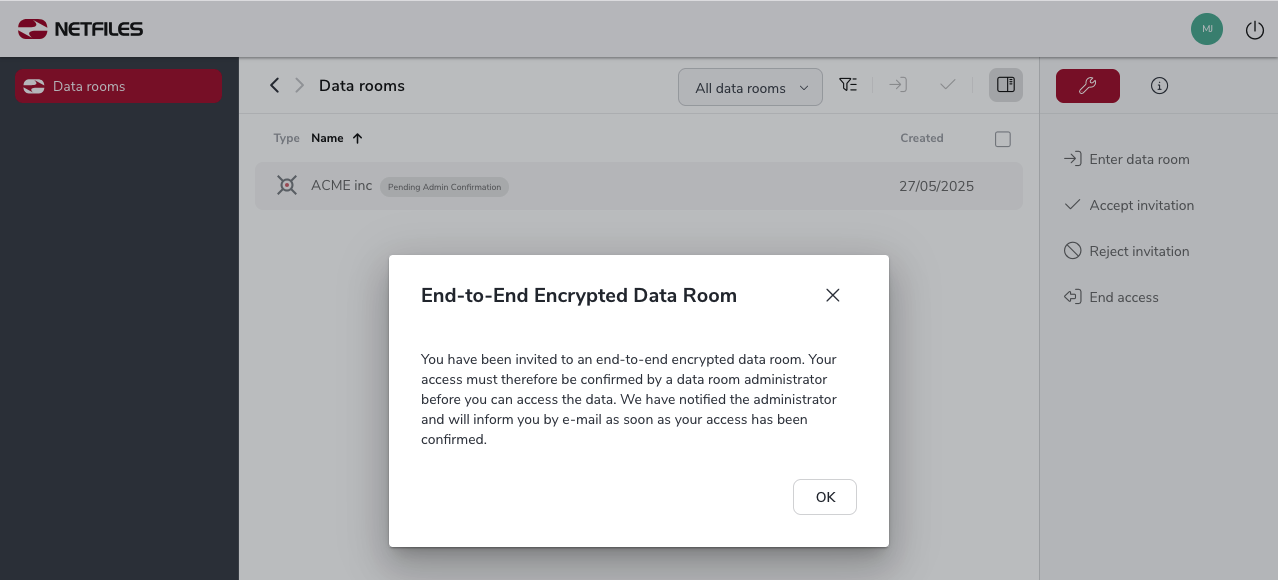
After copying and closing the Recovery Code dialoge, the account will be activated. However the user will not be able to use the vault until an administator has confirmed their registration.
Account confirmation (administrator)
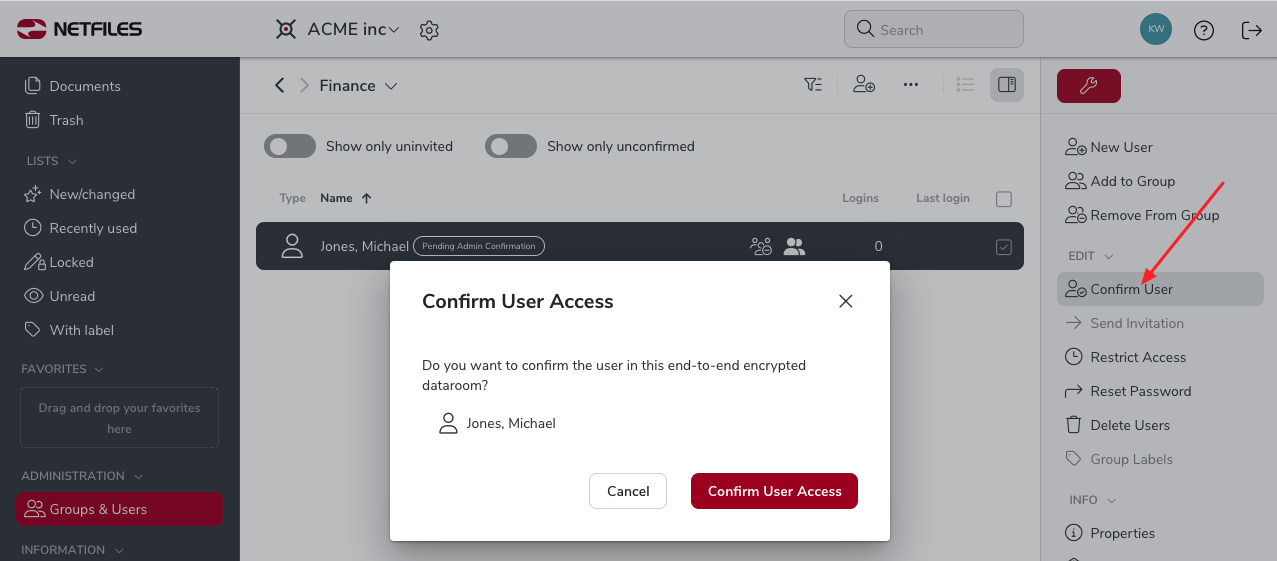
The administrator will receive an email to inform them about completion of the user activation process. They now need to select the user in the user listing and confirm access to the vault by clicking “Confirm user” on the right.
The user receives an e-mail confirming that they can now access the contents of the vault.
During each login session to a vault, the user needs to enter their personal login details (user name/e-mail address and password) and their personal data key.

